overview
Company
Salesforce
Role
Product Designer
Year
2025
Problem Statement
The Technician, also called the Frontline Worker, visits 6-8 work sites or residential homes per day. During the service they need to capture critical data for future reference and for compliance. Our research revealed that technicians spend 23% of their time on documentation, often forced to choose between completing work quickly and capturing accurate data for compliance.
🔧 Frank, our Field Service Technician (go Frank!)
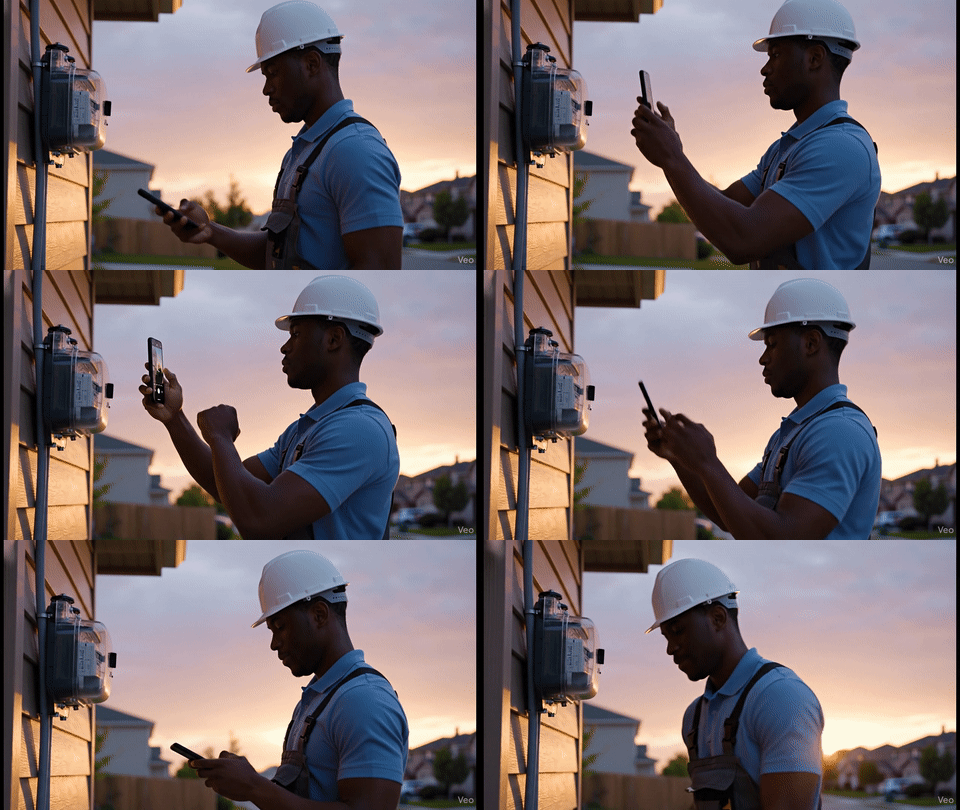
Claude and NotebookLM were used to brainstorm research approaches, collate research and eventually to synthesize themes that could be shared across our product org.
Data Capture customers span several industries including Public Sector, Automotive/Manufacturing, Utilities and Telecom, each with their own fleet of technicians who need to capture data in the field. Customers complained that their technicians had to switch between multiple apps, would lose progress or wouldn’t work in areas without internet.
Features I designed
Over the course of 10 months, I lead the design of the data capture team maintaining 30+ components and designing 9 features from scratch. Here are some highlights from some features I designed from the bottom up:
Optical character recognition
National Grid's technicians were manually typing serial numbers and meter readings under time pressure, introducing errors at every step. The data was right there on the equipment. The design challenge was making it effortless to capture.
ux pattern audit
National Grid's technicians were manually typing serial numbers and meter readings under time pressure, introducing errors at every step. Technicians needed a faster, more reliable way to extract text from equipment. Before designing, I audited how the market approached OCR and found that no experience existed that considered the multi-field, multi-modal nature of work forms.
Ideation
Armed with audit findings, Salesforce design patterns, and direct feedback from National Grid, I prototyped three approaches. Each one took a different position on the same question: how much of the cognitive work should the system take off the technicians' plate? The pros and cons of each approach were validated with our design partner before moving forward.
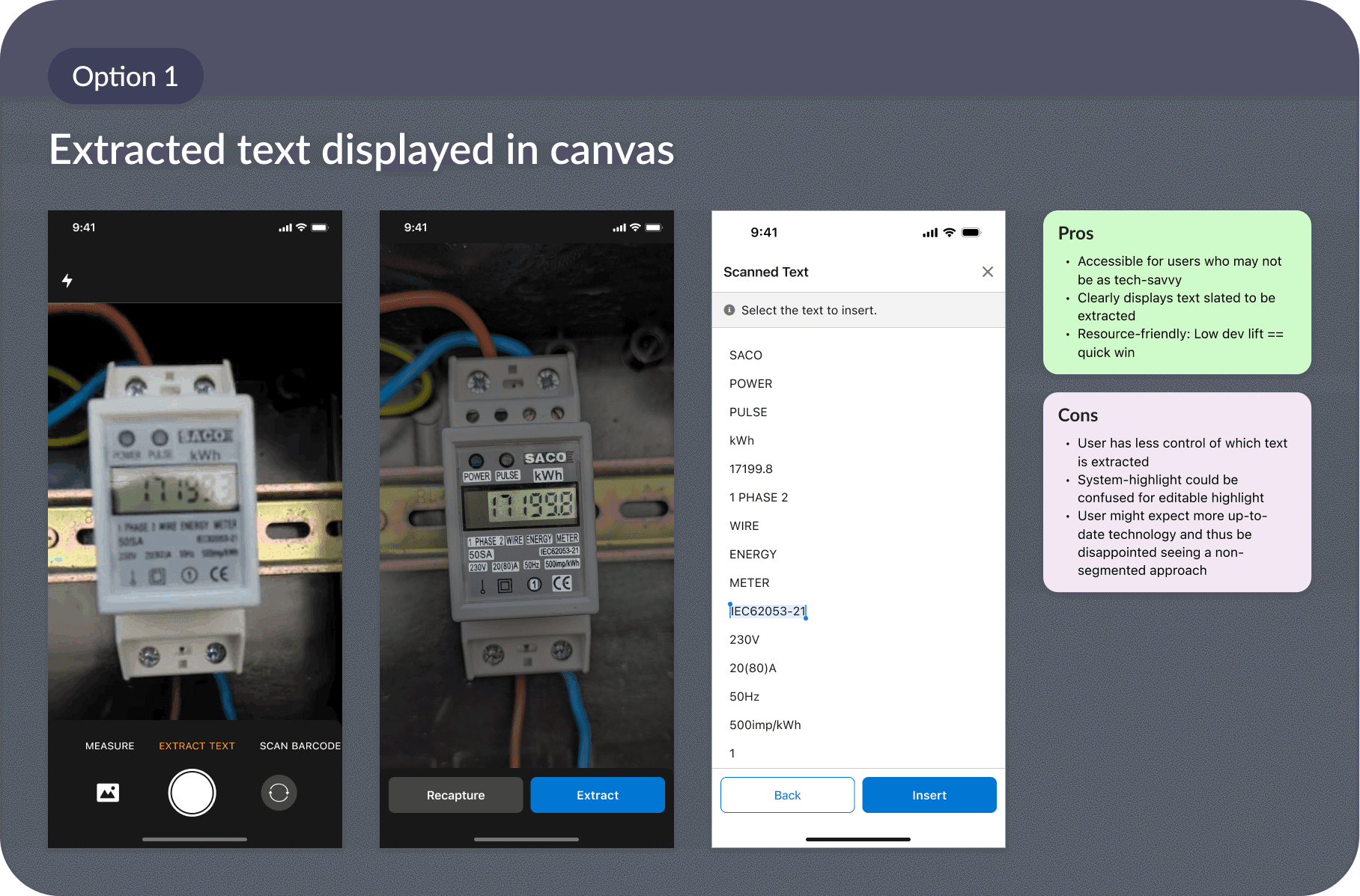
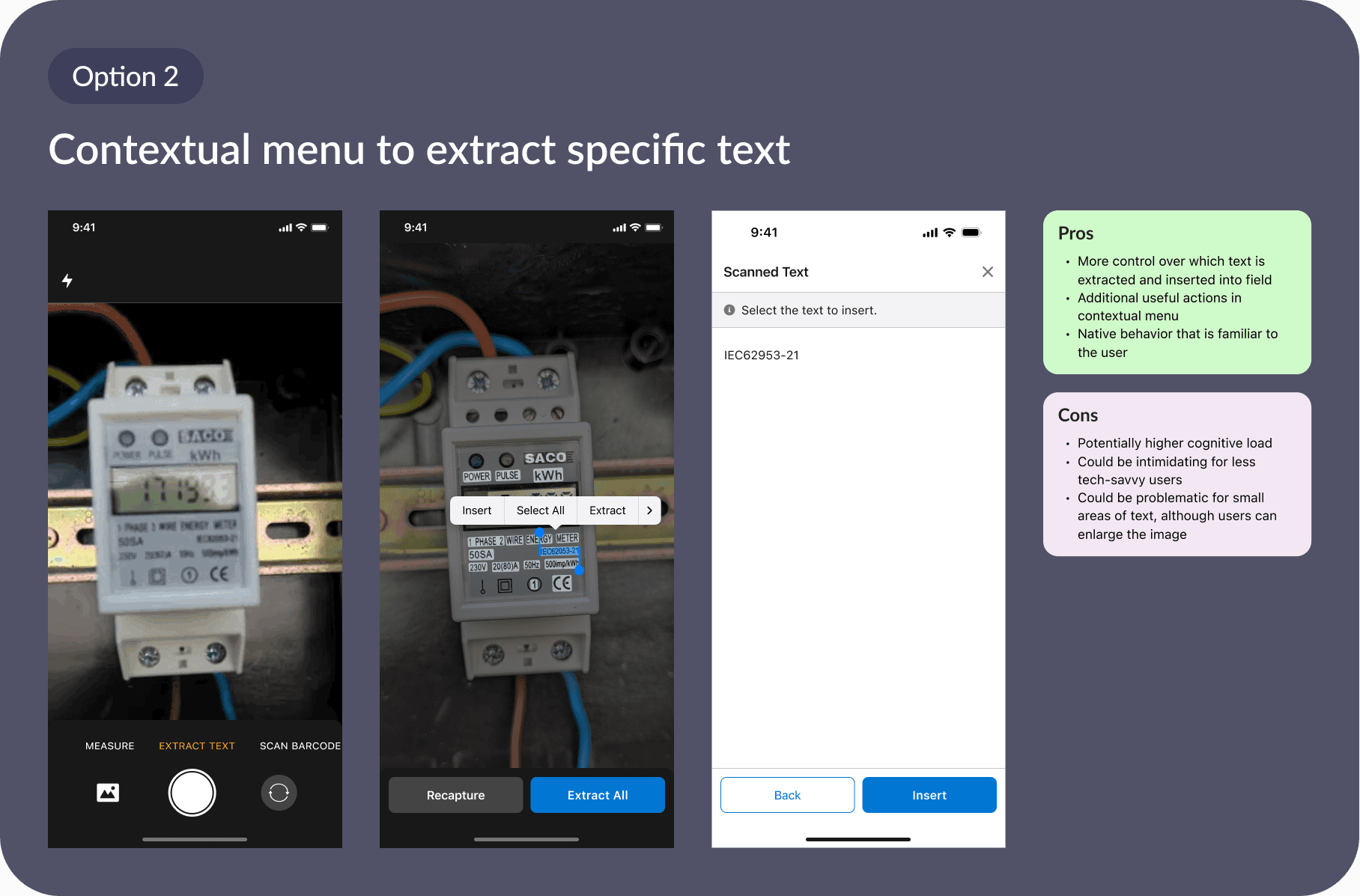
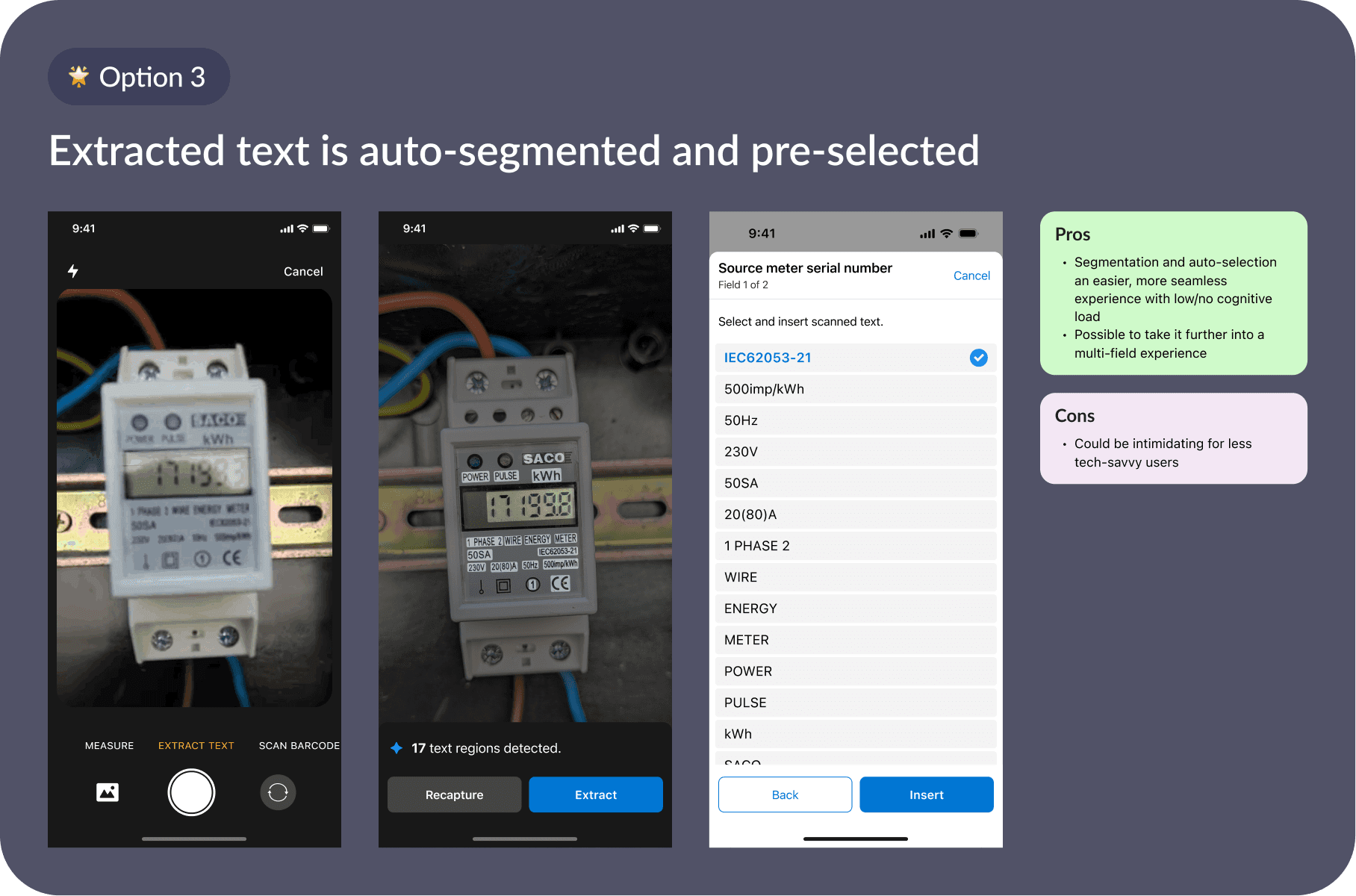
How can we find the best balance between automation (saves time) and control (takes time)?
Final design - OCR
The OCR features helps Technicians to intelligently detect relevant text in an image, then breaks it into selectable values and automatically recommends the most likely entry for each field.
impact & takeaways
Testing different UX approaches led us to choose option #1 (text extracted to canvas) for the interim, until more resources could be dedicated to this feature
National Grid validated the feature through several pilot sessions
Upon testing, more performance testing was needed before developing this feature.
Additional Data Capture features
A sneak peak into a few more efforts I led during my time working on Data Capture.
Asset Lookup
Until now, there was no way to search for records assets, products, parts within forms. Technicians typed from memory, introduced errors, and had no way to verify. I designed a context-aware Lookup component that lets technicians search across datasets directly within the form.
live capture
Live Capture is a vision initiative in which AI analyzes images or video in real time. Assets are automatically identified as well as hazards and compliance issues as the technician moves through the site with their phone camera. Technicians can document sites faster, avoid mistakes, and ensure safer, more accurate field inspections.
Without this feature, technicians are stuck manually capturing by visual or text, cross-referencing to confirm it's the right asset, switching apps and potentially missing dangerous and costly hazards that do not comply with code.
AR Scan
AR Live Capture is a vision initiative and is designed to help technicians get pertinent information on the fly, saving them from manually searching for an asset. With AR Scan technicians can search for reference information and use details from that information in their current job form.
token design system
When I took ownership of Data Capture in early 2025, Data Capture lacked visual and interaction consistency, felt disjointed and difficult to scan.
It was time to establish a token-based design system. Over the next six months, I led the effort to create a consistent, scalable styling foundation that simplified implementation for engineers and ensured a more cohesive, polished experience for end users.
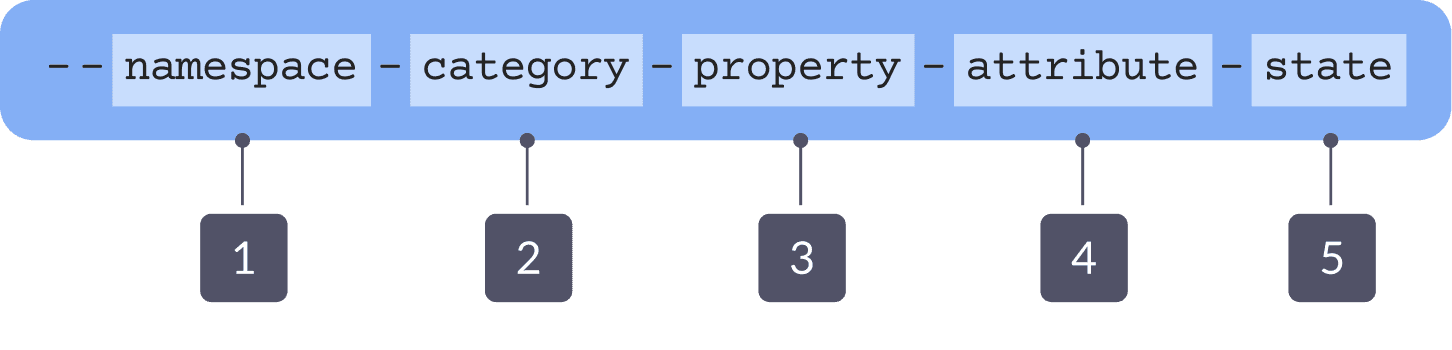
Aligning our naming “map”
A naming map helps to communicate what the naming structure of each token is and how each token should be used. After meeting with different teams across Salesforce, this is the map we ended up with.
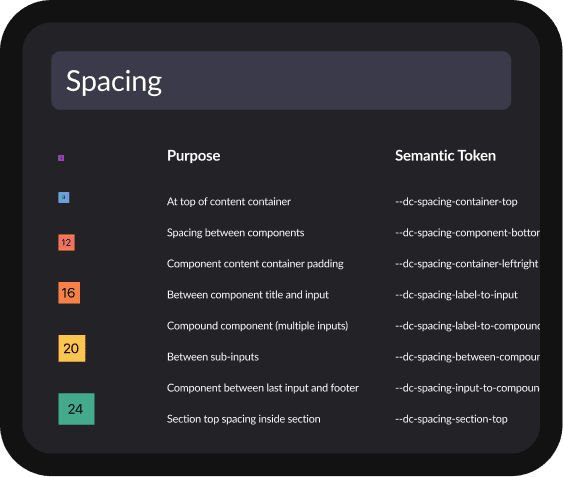
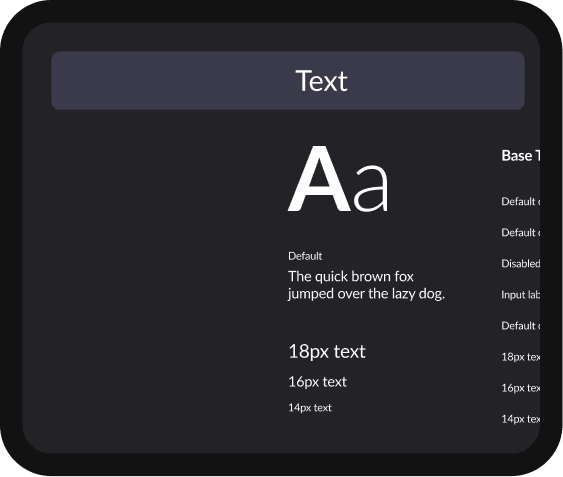
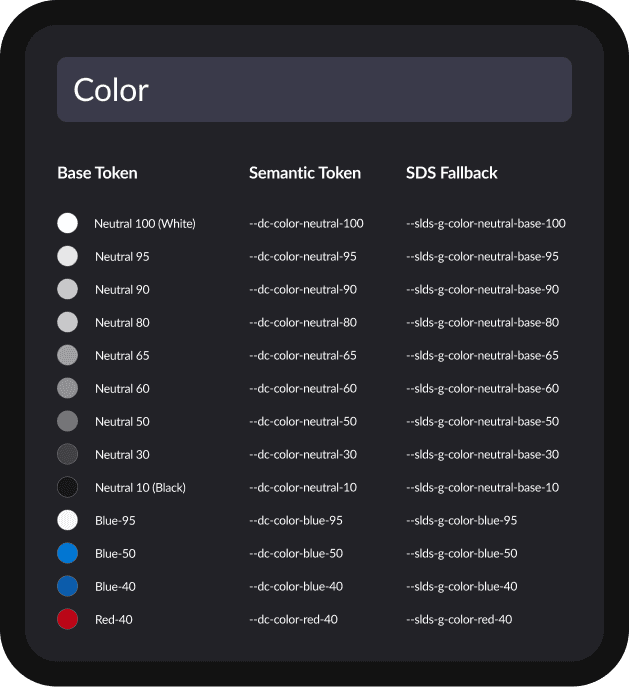
A design review of the guidelines and their subsequent uses in real features was set with the dev team, who was incredibly supportive and proactive about using design tokens in Data Capture
Data Capture tokens allowed hundreds of sweeping adjustments to the overall experience of forms and their components, resulting in a much better user experience
50+ UX and UI bugs that we knew of were adjusted, across 4 teams